Showing posts with label visual. Show all posts

Tuesday, November 10, 2020

Sparked and Idea for Teaching and Learning in a Pandemic

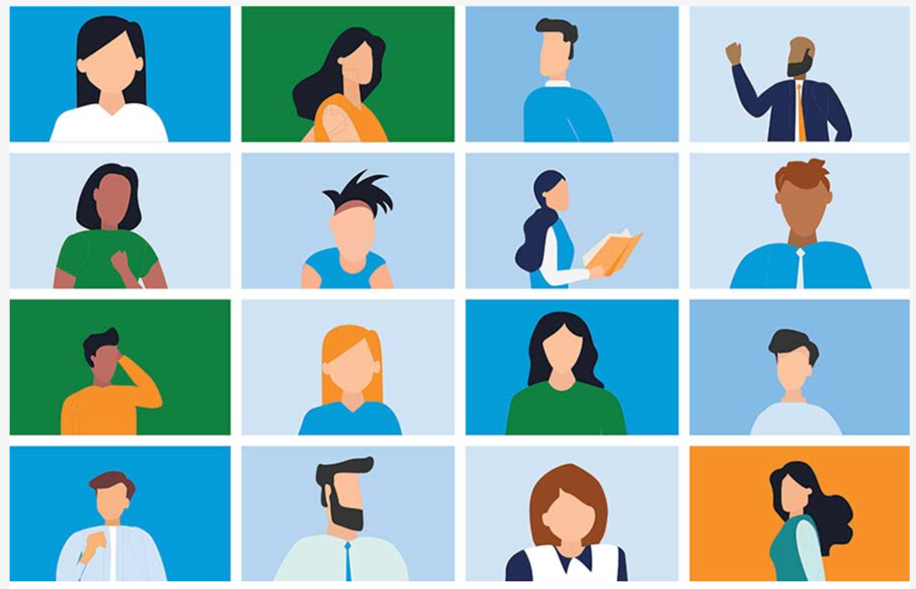
 I saw the image below in my news feed this morning and it made me pause.  This is truly what life for many of us looks like right now.  It is definitely they way my teaching and learning experience is going. I work at my computer, participate in virtual meetings, collaborate one-to-one with teachers virtually to do some troubleshooting or planning or lesson creating, visit with my extended family virtually, and check in with my friends that way as well. 
via

Ever the ELA teacher, I immediately thought about how it would make a great writing prompt for my students! I could ask them to identify which person represented them most, or of who does one of the images remind you most, or give three people a name and describe what they do each day, or describe the facial expression/features that you envision on one of these people, or so many other out-of-the-box ideas for students to pause, think, imagine, and write.  

Since I have made it a goal to create most of my own graphics for projects I create this year, I also took a moment to think about how I would create something similar and the time it might take to create such a large, in-depth graphic.

I also sent a challenge to one of my grands who is learning remote this week due to quarantining and being in contact with a fellow student who tested COVID positive.  I would love to have seen her face when I challenged her!  Unlike the folks pictured, I'm sure her eyes would be LARGE!  

Sometimes it is off-the-wall sorts of things that make the best lessons. I think this is one of those things that could make a good lesson.  I also think we have lots of people who are scrambling to come up with good virtual lessons using off-the-wall ideas like this that are tied to their own curriculum.  I wonder what other folks have paused in their scroll to think about ways to use something they see in a lesson?

Wednesday, April 8, 2020

Looking at the Basics

When I started this aspect of my blogging life, I decided that I wanted to post images that were of my own creation.  At work I feel obligated to cite image resources because, well, it is the right thing to do.  I've always done that on my personal blog as well.  If I borrow an image, I cite it's origin.  So, that led me to creating my own simple graphics. 

This has certainly made me look at the basics of how things are made.  I look at shapes.  I look at colors.  I look at layers.  When Tony Vincent first started with Shapegrams, I thought it was a wonderful idea and that sort of spurred me to create my own graphics for my work icons and graphic needs.  Google Drawings is probably my favorite app anyway, well, at least for creating things for teachers and students.  So, one thing kind of led to another.

I use Google Drawings to create the clip art type graphics.  I just add shapes and manipulate them and layer them to get the general concept of what I want.  A simple example is the wrench and screwdriver that I used in a recent post:
When that drawing is deconstructed, it is just a bunch of shapes like this:
The shapes forming the screwdriver are on the right of the canvas and the shapes for the wrench are on the left. 

I think that is what teachers are wanting in our district right now.  Nothing complex - just the basics.  So, we are trying to provide basic support for them and their students.  We have offered Zoom sessions that last an hour on Tuesday and Wednesday for the past couple of weeks.  We show some basics, share basic, introductory information, and field questions related to what we are sharing in a Chat window. 

There is nothing exciting and extraordinary about what we are doing to help teachers but many of them are grateful for what we are sharing.  There is also nothing exciting and extraordinary about creating your own graphics either it but it is a fun adventure to see what I can create.  I would encourage you to do some creating yourself!